The agent's guide to virtual staging in 2026
Virtual staging is no longer a competitive advantage in real estate — it's table stakes. Listings without staged photos sit 23 days longer on average. The 2026 playbook: use Renovation AI Pro at $34.99/year to virtually stage unlimited listings (vs. $30-$70/photo via agency, or $1,500-$3,500/room physical), disclose cleanly per MLS rules, and ship MLS-ready HD exports in 90 seconds per room. 3 free designs to test before subscribing.
What this saves vs the wrong staging approach
The numbers that matter for agent staging economics in 2026:
- Physical staging: $1,500-$3,500 per room (typical 4-room stage: $6,000-$14,000 per listing)
- Agency virtual staging: $30-$70 per photo (typical 12-photo listing: $360-$840)
- Renovation AI Pro Year: $34.99/year for unlimited virtual staging
- Per-listing cost on Renovation AI (1 listing per month): $2.92/listing
- Per-listing cost on Renovation AI (1 listing per week): $0.67/listing
- Days-on-market for unstaged listings: 38 days average
- Days-on-market for well-staged listings: 15 days average
- Sale price impact of staging: 1-5% (often $5K-$50K)
A single avoided week of carry costs ($600K listing at 6% mortgage = ~$2,500/month carry) pays for a year of Renovation AI Pro four times over.
Quick comparison of staging options
| Option | Cost per listing | Speed | MLS-ready quality | Best for |
|---|---|---|---|---|
| Physical pro staging | $6,000-$14,000 | 1 week setup | Highest | Luxury $1.5M+ |
| [Renovation AI](https://apps.apple.com/us/app/ai-designer-interior-design/id6499474009) Pro | $0.67-$2.92 (amortized) | 90s per room | High | Most listings |
| Agency virtual staging | $360-$840 | 24-48h turnaround | High | Single-listing agents |
| DIY physical staging | $200-$800 | Owner's time | Medium | Owner-occupied |
| No staging | $0 | n/a | n/a | Tear-downs |
What MLS allows in 2026
Most MLS systems now require a disclosure tag on virtually staged photos. The standard tag is "Virtually Staged" in the photo caption or watermark. Failure to disclose can result in MLS sanctions and ethics violations.
The good news: buyers prefer transparent virtual staging to no staging at all. A 2025 Zillow study found that 73% of buyers said they'd rather see a clearly-labeled virtually staged photo than an empty room.
What buyers expect
- Furniture scale that matches the room. A 12-foot sofa in a 10-foot room looks AI-generated. Use Renovation AI's room-scale awareness, which sizes furniture to the actual photo proportions.
- Lighting that matches. If the photo was shot at 3pm with south-facing light, the staged version should not look like it was shot at noon under harsh overhead lighting.
- Consistent style across rooms. All staged photos in one listing should share a design direction. Buyers are confused by listings where the living room is Modern and the bedroom is Farmhouse.
How to disclose cleanly
In the listing description: "Living room and primary bedroom virtually staged. Property is currently vacant."
On the photo itself: a small "Virtually Staged" pill in the corner, ideally in a font that's clearly informational (mono or small caps).
In Renovation AI Pro: enable "Add disclosure tag" in export settings. The tag is added at the corner in MLS-approved styling.
The 90-second listing flow
- Walk through the property, photograph each empty room from the corner (not doorway)
- Upload to Renovation AI, batch-stage in your preferred style
- Export at HD with watermark disabled (Pro required)
- Upload to MLS with the disclosure tag
Total time: 90 seconds per listing. Cost: $0.67-$2.92 amortized per Pro Year. Compared to physical staging at $1,500-$3,000 per listing, the math is obvious.
The recommended workflow for agent virtual staging
- Schedule the photo shoot in even daylight — overcast is actually best
- Photograph each room from the doorway corner at chest height
- Open [Renovation AI](https://apps.apple.com/us/app/ai-designer-interior-design/id6499474009) and pick one style direction for the whole listing
- Render every room in that direction for visual consistency
- Export at HD with disclosure tag enabled (Pro feature)
- Upload to MLS with caption disclosure ("Virtually Staged")
- Mention virtual staging in the listing description — buyers respect transparency
- Reuse the same style direction for at least 3 listings — agents who do this report better follow-through from buyers
Three staging directions that work for most listings
Direction 1: Modern Neutral
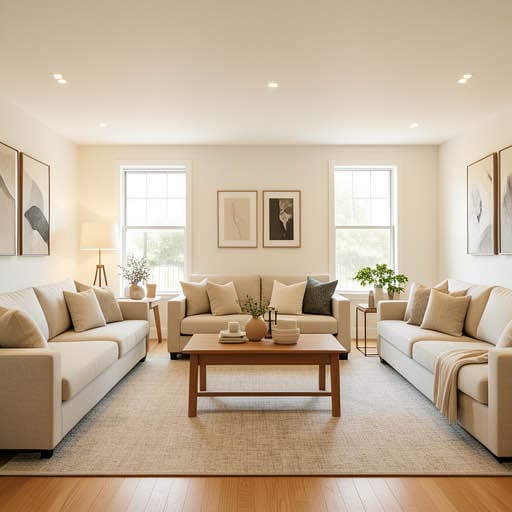
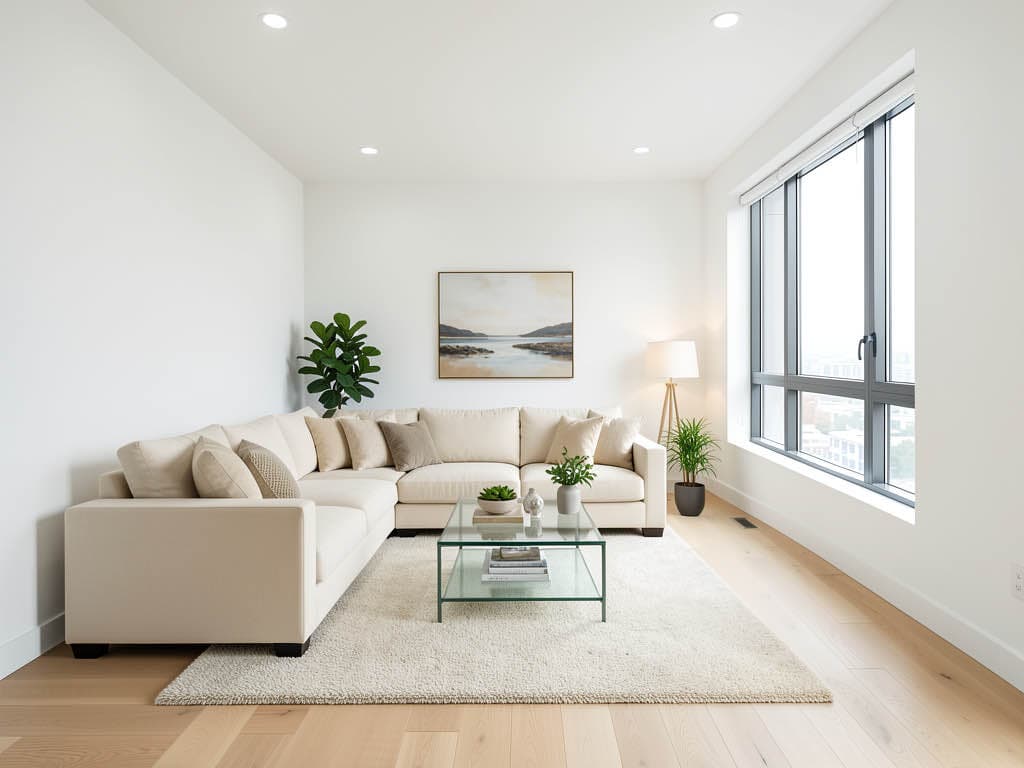
White boucle sofa, oat linen accents, walnut floors, single oversized abstract art, warm bone walls. Universal appeal across buyer demographics.
What works: broadest appeal; buyers project themselves into neutral spaces. What doesn't: can read generic if rooms are very small or oddly-shaped.
Direction 2: Family-Friendly Casual
Sectional with throw pillows, durable rug, framed family-room-friendly art, bookshelf with mixed books and small objects. Best for family neighborhoods.
What works: signals "happy family lives here" — taps emotional response. What doesn't: can read busy in photos — keep object count tight.
Direction 3: Aspirational Modern
Travertine coffee table, sculptural pendant, low-slung sofa in oat boucle, single large canvas, warm bone walls. Best for luxury or aspirational price points.
What works: signals "this could be the upgrade you wanted." What doesn't: can alienate value-conscious buyers if the listing isn't luxury-positioned.
Frequently asked questions
Do I need to disclose virtual staging on every photo?
Yes — every staged photo needs a disclosure tag. Most agents include both a watermark on the photo and a note in the listing description.
Will buyers be upset that the listing is virtually staged?
Studies show the opposite — 73% of buyers prefer transparent virtual staging to no staging. The trust comes from clear disclosure, not from hiding the staging.
Can I virtually stage occupied properties?
Yes — though most agents stage only vacant rooms for clarity. For partially-occupied listings, focus on staging vacant or sparse rooms (often the primary bedroom or formal dining).
How does Pro Year math work for a small agent?
At 12 listings/year × 4 staged rooms each = 48 staged rooms for $34.99 = $0.73/room. At 24 listings/year = $0.36/room. Cheaper than any other staging option at this volume.
Does MLS-Approved tagging really matter?
Yes — non-disclosure violations have resulted in MLS sanctions, NAR ethics complaints, and even brokerage license issues in some states. Always disclose.
Ready to start virtual staging?
Try Renovation AI free on iPhone, iPad, or Google Play on Android. Three free renders to test the quality. Pro upgrade pays back on listing #1.
Related reading
See your room in 30+ styles.
Free to start. No credit card. Photo to redesign in under a minute.