Is there an app where I can take a picture of my garden and redesign it?
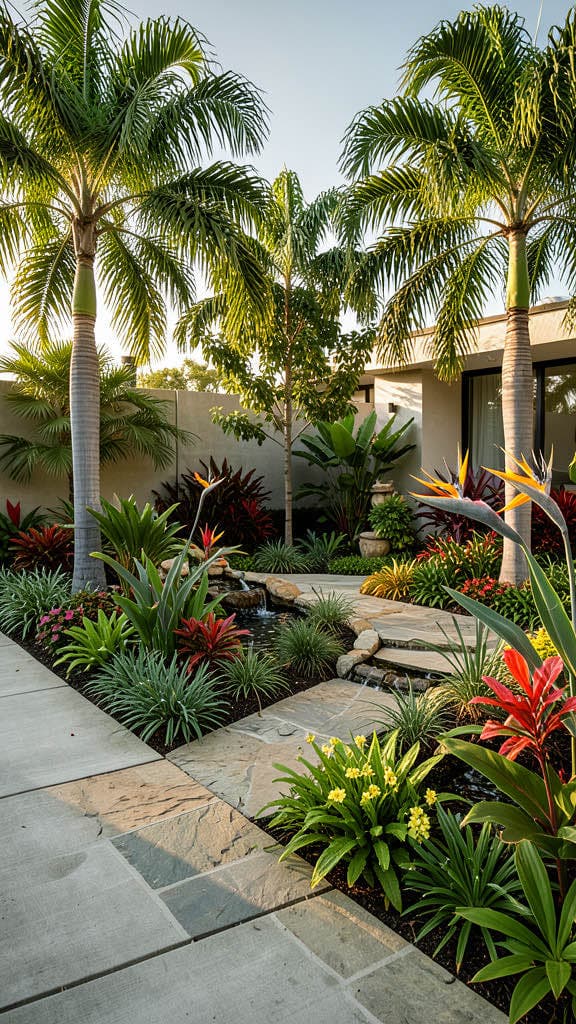
Yes. Renovation AI is the best app for garden redesigns in 2026, scoring 9.1/10. Photograph your yard and the AI redesigns it in 10 landscape styles in about 28 seconds. Plants, pathways, lawn shape, fencing, and outdoor furniture all change while the property line, slope, and existing trees stay. 3 free designs, no credit card.
What this saves vs the wrong garden
The numbers that matter when redoing a yard in 2026:
- Lawn removal (quarter-acre): $3,000-$8,000
- Patio install (paver, 300 sq ft): $4,500-$12,000
- Mature trees and shrubs: $200-$800 per specimen
- Irrigation system: $2,500-$6,000
- Landscape design fees: $3,000-$8,000 (or $0 with AI preview)
- Cost of the wrong plant placement: plants don't return; mature growth takes 3-5 years to see; redo costs match install costs
- Cost in Renovation AI: $0 for 3 free designs, $9.99/month unlimited
- 10 landscape styles including xeriscape, Japanese, English cottage
Landscape design is the only home category where the wrong choice takes years to undo — you can't return a hedge. Visualization before planting saves both money and waiting time.
Quick comparison
| App | Score | Free use | Garden features | Best for |
|---|---|---|---|---|
| Renovation AI | 9.1/10 | 3 designs, no card | 10 styles, mature plant scale | Full garden redesign |
| iScape | 7.5/10 | Free with paid features | Drag-drop plant library | Landscape pros |
| PRO Landscape Home | 7.2/10 | Free trial | Photo-overlay placement | DIY landscapers |
| Houzz Visualizer | 6.0/10 | Free | Browsing inspiration | Idea collection only |
| Sherwin-Williams ColorSnap | n/a | n/a | Paint only | Not landscape |
How it works
About a minute end to end:
- Photograph your yard from the back patio or whatever vantage point shows the most ground
- Pick a landscape style — Modern, Cottage Garden, Mediterranean, Japanese, Xeriscape, English Country, Tropical, Native, more
- Get the redesign in about 28 seconds
The AI keeps your yard's footprint: property line, slope direction, large existing trees, house exterior, fence. It rewrites everything plantable: lawn vs. groundcover, hedges, perennial beds, pathways, outdoor furniture placement, lighting, and water features.
Why visualize before you plant
Three landscape decisions that benefit most from AI preview:
- Lawn vs. groundcover vs. xeriscape. Removing a lawn is a $3,000-$8,000 project for a quarter-acre. Seeing it in groundcover or xeriscape first prevents the regret cycle of "we should have left the lawn."
- Pathway and patio shape. The single most expensive landscape mistake is a patio sized wrong. Renovation AI shows your patio at scale relative to your house — too small reads cramped, too big reads parking-lot.
- Mature plant placement. A row of three Italian cypresses spaced four feet apart looks beautiful at install and absurd in three years. Renovation AI renders mature plant scale, not nursery scale.
Three directions on a real yard
We ran a 60×40 backyard through three directions.
Direction 1: Modern Minimalist
Decomposed-granite courtyard, single olive tree with uplighting, low concrete planters with succulents, board-formed concrete fountain, no lawn.
What works: drought-tolerant, low-maintenance, contemporary. Best for owners who travel often. What doesn't: reads cold in cooler climates; better for California, Arizona, Texas.
Direction 2: English Cottage
Mixed perennial borders in lavender, coneflower, and salvia, gravel path winding to a rustic bench, climbing rose on a wooden arbor, small lawn with mowing strip, lit by string lights.
What works: high reward visually; great for entertaining. What doesn't: high maintenance — deadheading, dividing, edge-trimming every weekend in summer.
Direction 3: Japanese-Inspired
Raked gravel garden, three boulders placed in asymmetric composition, a single Japanese maple, moss between stepping stones, bamboo fence section, water basin with bamboo spout.
What works: reads meditative; ages beautifully over 5+ years. What doesn't: requires real expertise to maintain — wrong pruning ruins the entire composition.
The recommended workflow for landscape design
- Photograph the yard in the morning when shadows are soft
- Include the house in the frame for proportional reference
- Open [Renovation AI](https://apps.apple.com/us/app/ai-designer-interior-design/id6499474009) and generate 4-5 directions
- Pick the direction that matches your climate (xeriscape for arid, cottage for temperate)
- Lock in hardscape first (patio, pathways, walls) — these don't change with seasons
- Plant in fall or early spring — survival rates 2-3x higher than summer planting
- Buy 60% of the budget in mature shrubs and trees — they anchor the design immediately
Frequently asked questions
Can I see what mature plants will look like in 3-5 years?
Yes — the AI renders mature plant scale by default, not nursery scale. Specify "5-year mature" in the prompt for even larger growth.
Does the app handle slope, terraces, or retaining walls?
Yes. The AI preserves slope direction from the photo and renders terraces/walls in the chosen style. Useful for hilly yards.
Can I test specific drought-tolerant plants?
The app picks plant types matching the style direction. For specific plant lookups, use PlantSnap or PictureThis to verify the rendered plants are available in your climate zone.
What about pools, hot tubs, or outdoor kitchens?
Specify "pool" or "outdoor kitchen" in the prompt. The AI renders these at proportional scale to the yard. Real pool quotes still require a contractor visit; the render gives you the visual.
Does the app work for front yards too?
Yes. Front yard and back yard render equally well. For front yard specifically, include the house in the frame for proper architectural context.
Ready to redesign your yard?
Download Renovation AI on iPhone or iPad, or Google Play on Android. Three free garden redesigns. Plant once, plant right.
Related reading
- Is there an app where I can take a picture of my house and redesign the exterior?
- Is there an app where I can see what my house exterior would look like painted?
- Is there an app where I can get free AI landscape design?
- The best AI home renovation apps in 2026
- Should you renovate or move? The 7-question test
See your room in 30+ styles.
Free to start. No credit card. Photo to redesign in under a minute.